
Start with a waveform
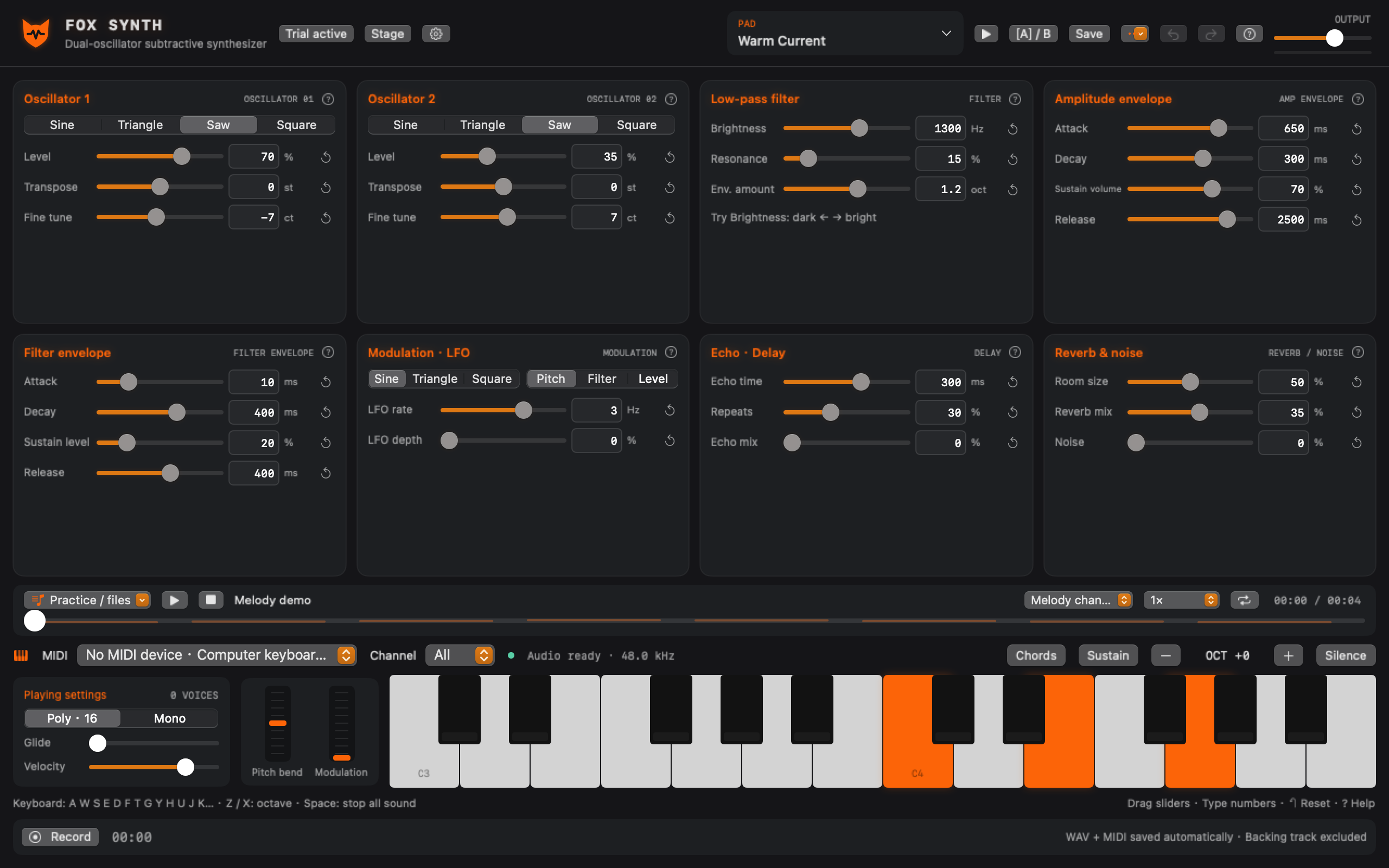
Shape two oscillators with four waveforms, a resonant low-pass filter, separate amp and filter envelopes, LFO, delay and reverb. Explore 24 factory presets, save your own, search, favorite and compare with A/B.
FOX SYNTH / macOS
Start with a waveform and make it your own. Fox Synth is a native Mac subtractive synthesizer for MIDI, computer and onscreen keyboards.
FOX SYNTH / AUDIO
An 8-second example rendered by the app’s synthesis engine.
Lower your headphone volume before pressing play.
FOX SYNTH / SOUND DESIGN
Shape two oscillators with four waveforms, a resonant low-pass filter, separate amp and filter envelopes, LFO, delay and reverb. Explore 24 factory presets, save your own, search, favorite and compare with A/B.
Connect a MIDI keyboard, use your computer or onscreen keys, or try the built-in examples. Drag a slider, enter a precise value or open the parameter help.
Record and export WAV / MIDI. Import standard MIDI 0/1 files for playback and looping, or play an audio backing track. Imported backing audio is excluded from WAV recording. This app does not process live guitar or microphone audio, and is not a DAW or AU/VST plug-in.
FOX SYNTH / STAGE
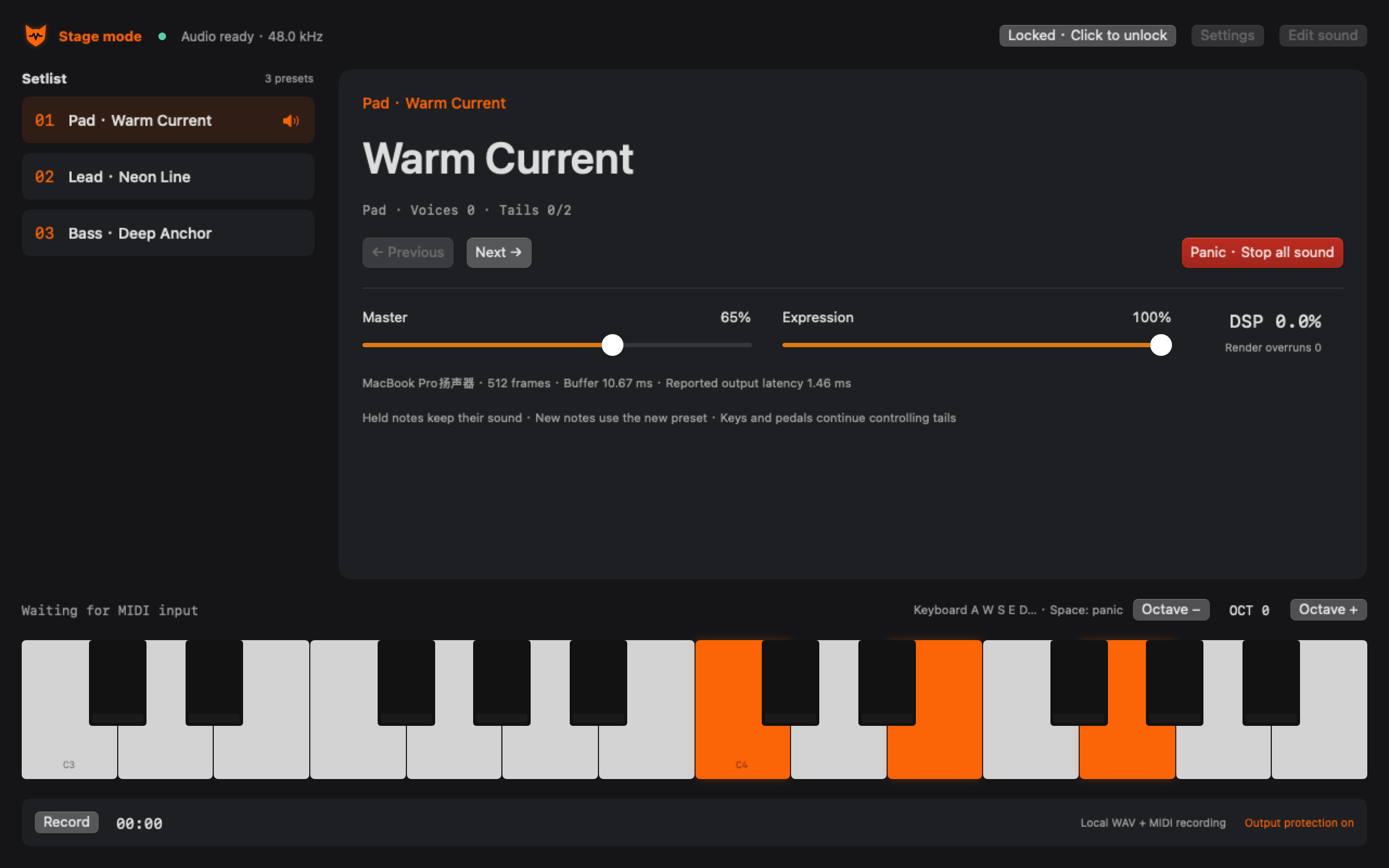
Stage mode offers large preset names, a setlist, MIDI CC Learn, pedal controls, master volume, expression and panic. Held notes and effect tails survive preset changes. Choose output device, channels and buffer size. Latency and stability depend on your Mac, audio device, driver and load; rehearse and verify your own setup before a performance.
FOX SYNTH / SUBSCRIPTION
An auto-renewing monthly subscription enables playing, playback and recording. Eligible new subscribers receive a 3-day free trial. Prices and eligibility are shown in the App Store purchase sheet.
Not publicly released yet. This website does not take payments. Contact product support by email.
Monthly Subscription
Current pricing is shown in the App Store purchase sheet.
Eligible new subscribers can try 3 days free.
The trial starts after Apple confirms your subscription, not when you open the app. To avoid renewal, cancel in Apple’s subscription settings at least 24 hours before the trial or current period ends. Apple shows the effective timing. Local presets and recordings are retained after cancellation.
Read subscription terms →Yes. Use computer keys, onscreen keys, preset audition or the built-in practice examples.
No. MIDI controls the synthesizer. Live guitar and microphone processing are not included; imported audio can play as a backing track.
No. Synthesis, presets and recordings stay on your Mac. Apple verifies subscriptions; there is no developer cloud sync.